

Transform Your App Ideas into Reality with Superapp
Have you ever had an app idea that you believed could be revolutionary, but the thought of coding or hiring a developer left you feeling overwhelmed? You’re not alone. That’s the challenge Superapp aims to address. Forget starting with lines of code; instead, begin with a simple prompt. Just describe your vision, and Superapp uses AI to create a native iOS app in Swift and SwiftUI.
For many creators, the true obstacle isn’t the spark of inspiration; it’s the execution. I explored Superapp by designing my own habit-tracking iOS app from a single prompt. Within minutes, the platform presented a preview complete with a dashboard, progress charts, reminders, and an Apple-style interface that reflected my description.
While Superapp may not substitute for seasoned developers when it comes to intricate applications, it significantly streamlines the iOS app creation process for entrepreneurs, designers, and creators looking to rapidly prototype ideas without starting from scratch.
In this review of Superapp, I’ll outline its advantages and disadvantages, shed light on its ideal users, key features, and share my experience building and publishing a habit-tracking app from start to finish.
Additionally, I’ll compare Superapp with my top three alternatives, which include Lovable, Bolt.new, and FlutterFlow. By the end, you’ll be equipped to choose the app/web builder that best fits your needs!
Final Thoughts on Superapp
In essence, Superapp provides a user-friendly method to bring your app ideas to life without needing coding expertise. However, while it excels at quickly developing and testing concepts, more intricate applications may still benefit from conventional development tools.
Pros and Cons of Superapp
- Transform an idea into a functional iOS prototype within minutes by simply describing your vision in plain language.
- User-friendly interface that simplifies app building for those without technical experience.
- Upload images or Figma files to assist in guiding the app’s design and layout.
- No need for Swift or Xcode expertise, allowing you to start developing without a developer workflow.
- Generates real Swift and SwiftUI projects that can be customized and submitted to the App Store.
- Integrate databases, authentication, and storage via Supabase without manual setup.
- Designs Apple-style interfaces that align with modern SwiftUI patterns, fitting seamlessly into the iOS ecosystem.
- Apply instant AI edits to modify designs and features without direct code alterations.
- Full code ownership enables you to export your project for further customization in Xcode or hand it off to a developer.
- Empowers founders and businesses to test app ideas without the need for a complete development team.
- Credits can accumulate quickly, necessitating higher-tier plans for larger projects or frequent modifications.
- While AI-generated apps serve as a solid foundation, complex functionalities and final testing may still require developer input.
- Initial work can start in a browser, but processes like App Store submission depend on Xcode and Apple’s ecosystem.
- Optimized for iOS, macOS, and watchOS, Superapp might not be ideal for users seeking a cross-platform app.
- AI-generated designs may resemble other apps, necessitating additional customization for a unique appearance.
- Developers seeking full control over code and in-depth customization might favor traditional coding methods.
Understanding Superapp
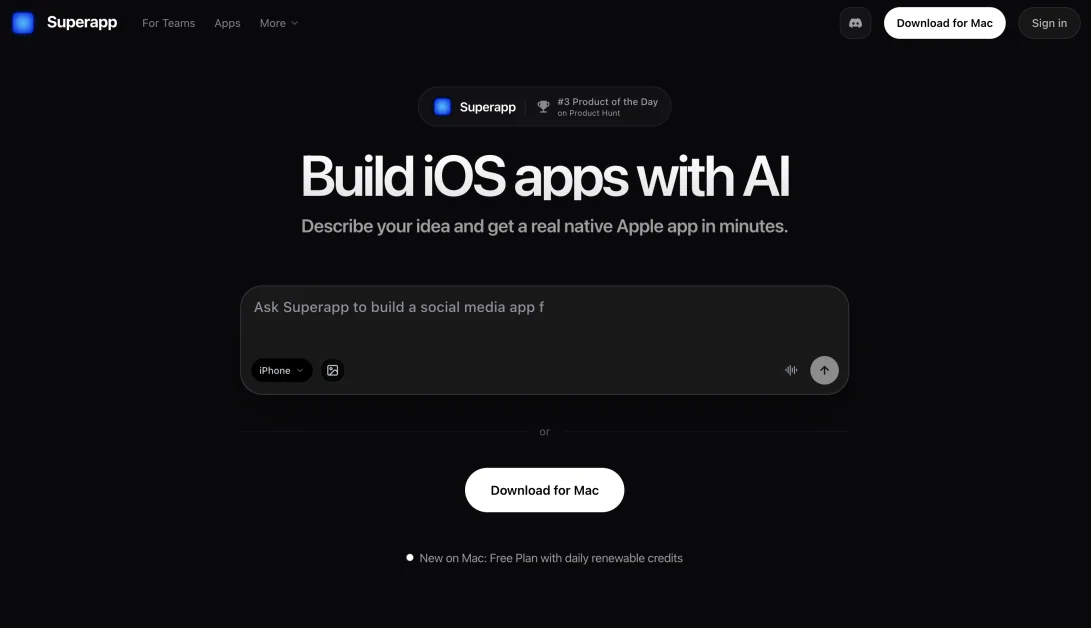
Superapp is an AI-driven app builder specifically for iOS. You simply prompt it with your app idea in straightforward English, and it generates Swift and SwiftUI code, the standard for all Apple applications.
The platform also streamlines backend operations by automatically connecting your database via Supabase, enabling you to concentrate on building features rather than getting bogged down in technical configurations.
Superapp’s Origin and Growth
Founded in 2025 by Vitalik Kotik in Berlin, Superapp is still in its early stages and successfully secured $1.6 million in pre-seed funding from prominent investors including Vesna Capital and Flyer One Ventures.
This backing reinforces my confidence in the platform as a reputable solution poised for continued growth, rather than a fleeting venture.
Superapp’s Position in the AI App-Building Sphere
Superapp debuted on Product Hunt in November 2025, quickly becoming one of the top products on launch day, attracting significant attention in a competitive market.
The landscape is indeed crowded, with various no-code app builders and an influx of AI-driven coding tools.
What sets Superapp apart is its commitment to iOS, generating genuine Swift code rather than a hybrid wrapper. This enables users to create authentic iPhone applications without needing to write the code or hire a developer, distinguishing it from React Native-based builders.
How to Use Superapp
Here’s a step-by-step guide to building and publishing a habit-tracking app with Superapp:
- Create an Account
- Provide a Prompt
- Select a Device & Submit
- Verify the Preview
- Interact with the Preview
- Request Edits with AI
- Integrate Features
- Publish to the App Store
Step 1: Create Your Account
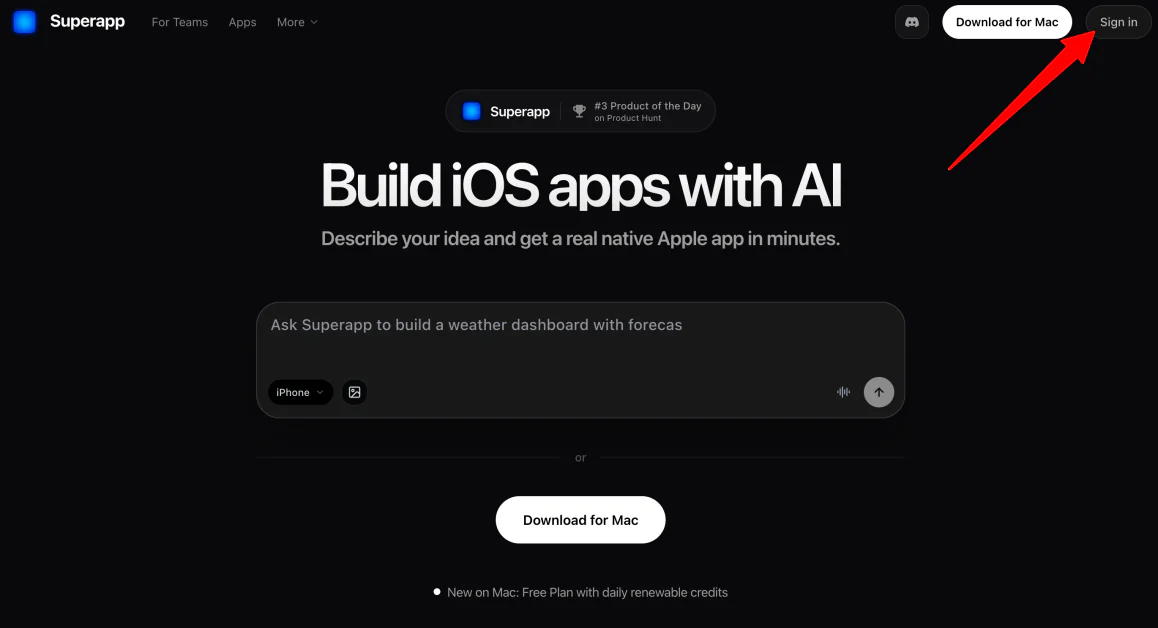
Visit superapp.com to sign up and create your account.
Step 2: Give Superapp a Prompt
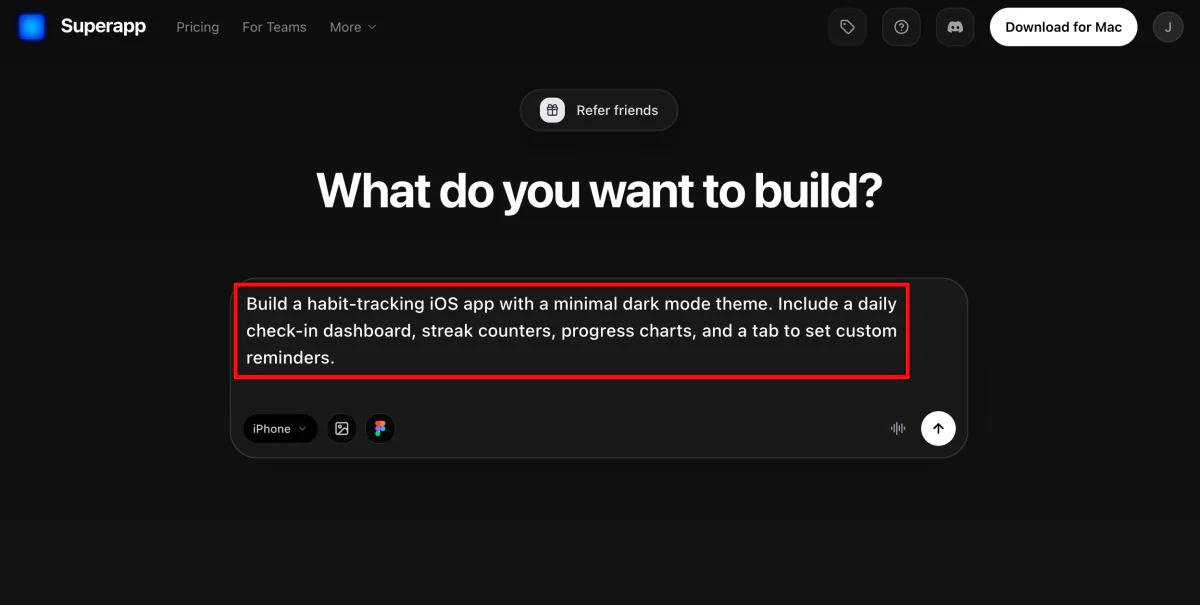
Once your account is set up, Superapp will ask you what you envision building.
For example: “Create a habit-tracking iOS app with a minimal dark mode theme, including a daily check-in dashboard, streak counters, progress charts, and a custom reminders tab.”
Step 3: Select a Device & Submit
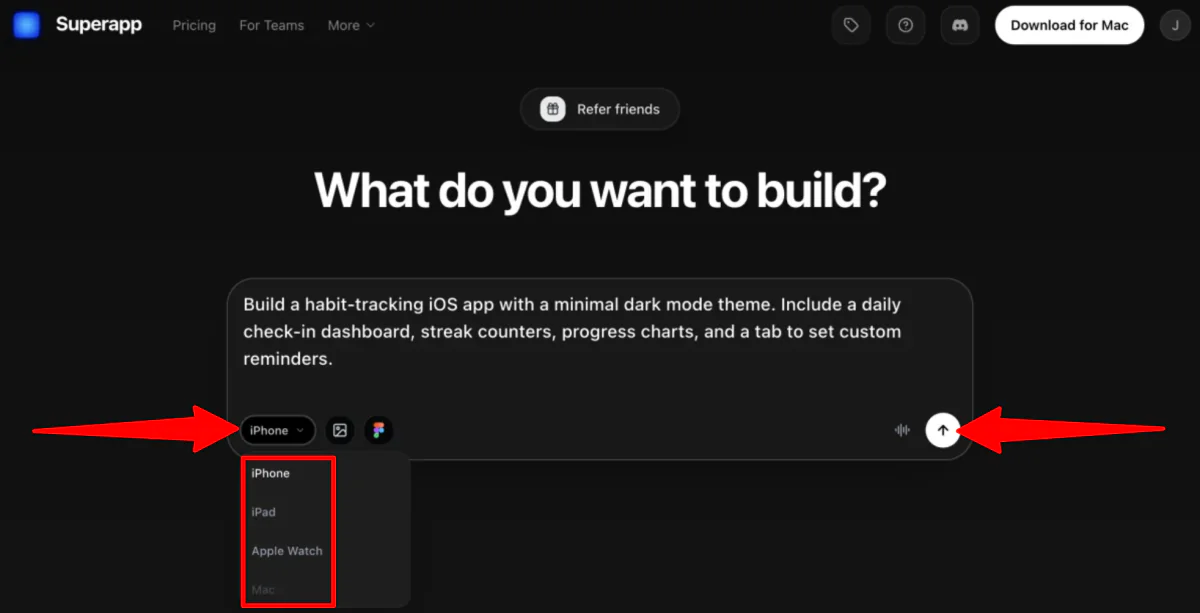
Choose the device type (iPhone, iPad, Apple Watch, or Mac) and hit send.
Step 4: Verify the Preview
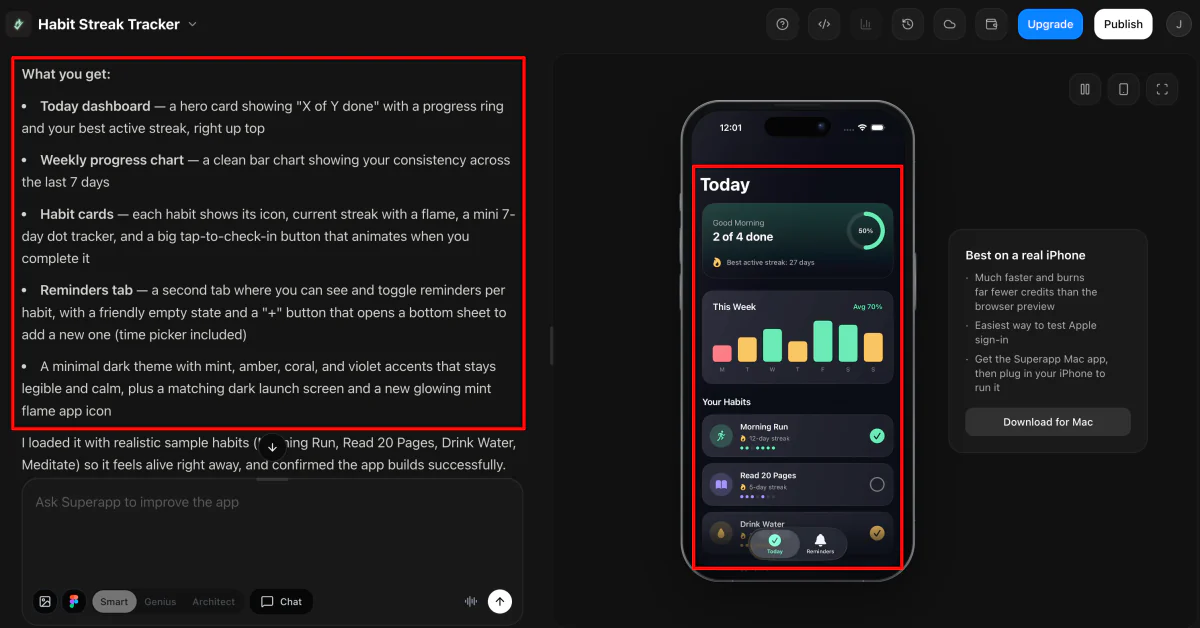
Superapp will start generating your app immediately. You can observe its progress as it updates the home screen and components. Once complete, it will inform you of the features generated based on your prompt.
Step 5: Interact with the Preview
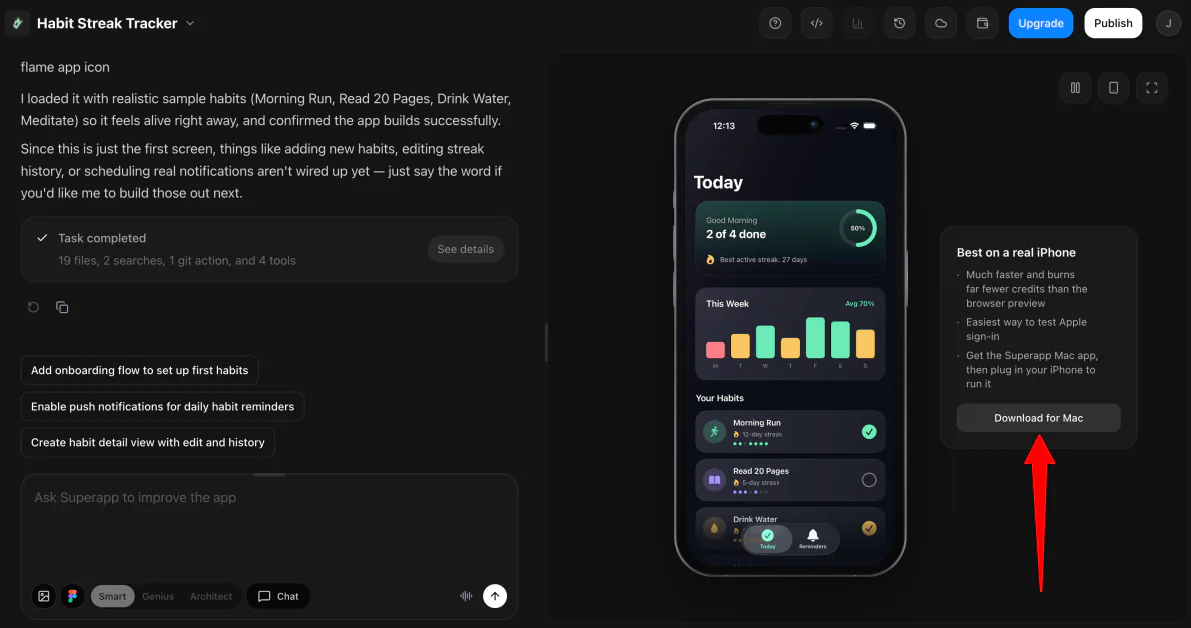
Navigate through buttons, tabs, and other interactive elements in the preview to ensure the user experience is as intended.
Step 6: Request Edits with AI
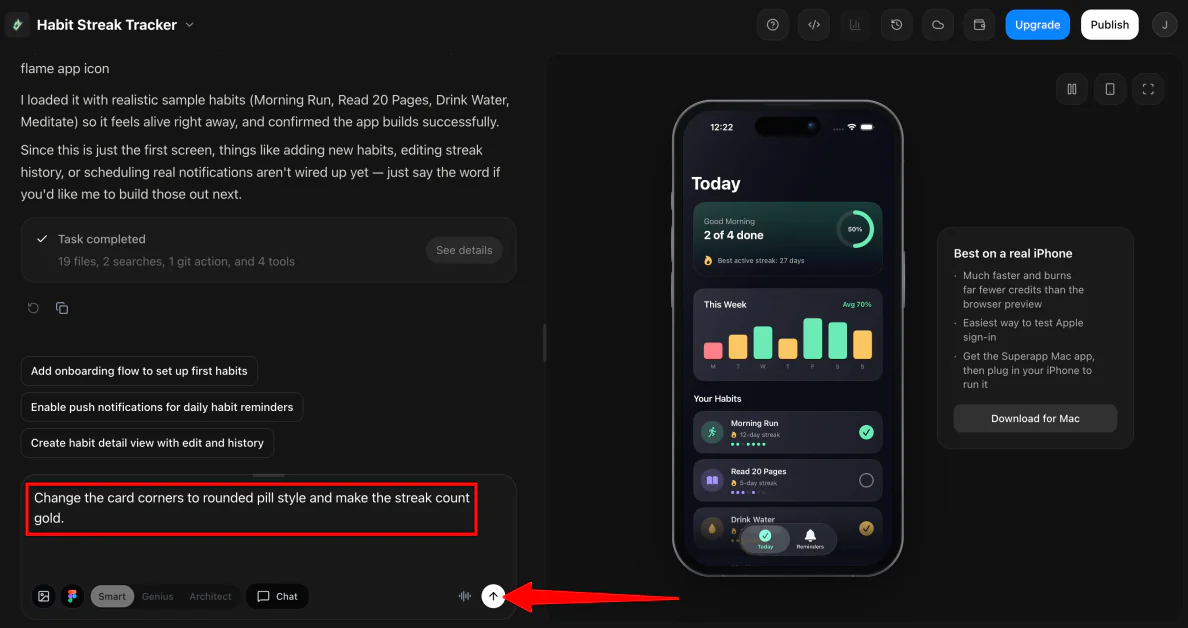
Use the chat interface to request targeted changes or new features. For instance: “Change the card corners to a rounded pill style and make the streak count gold.”
Step 7: Add Integrations
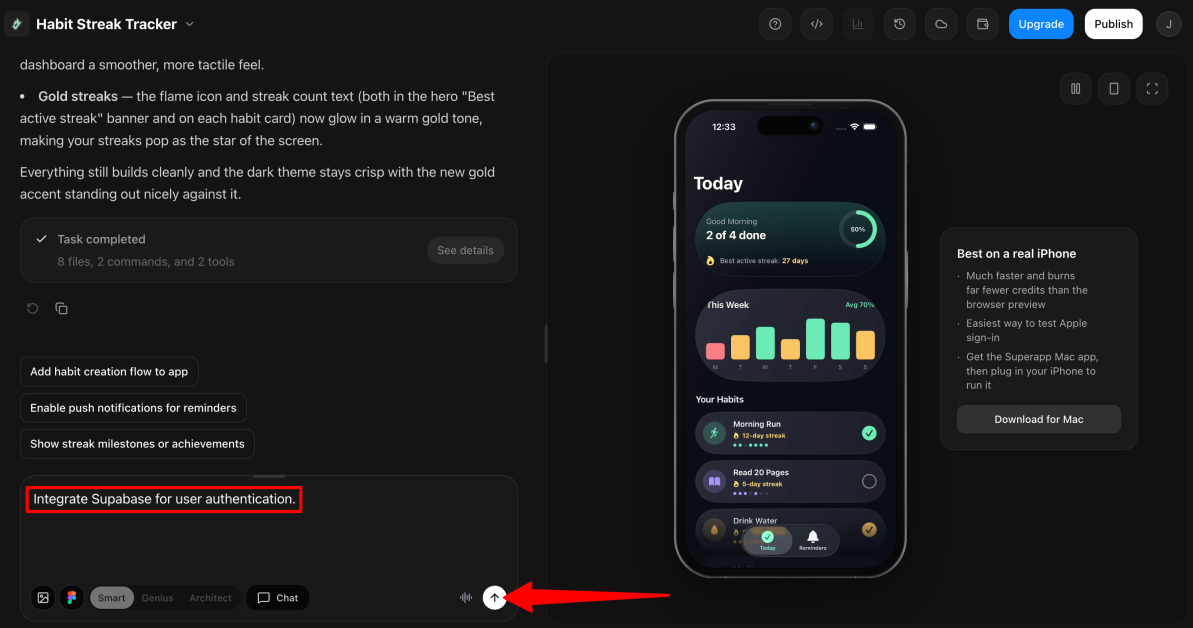
Add API integrations or database functionalities by describing your requirements (e.g., “Integrate Supabase for user authentication”).
Step 8: Publish to the App Store
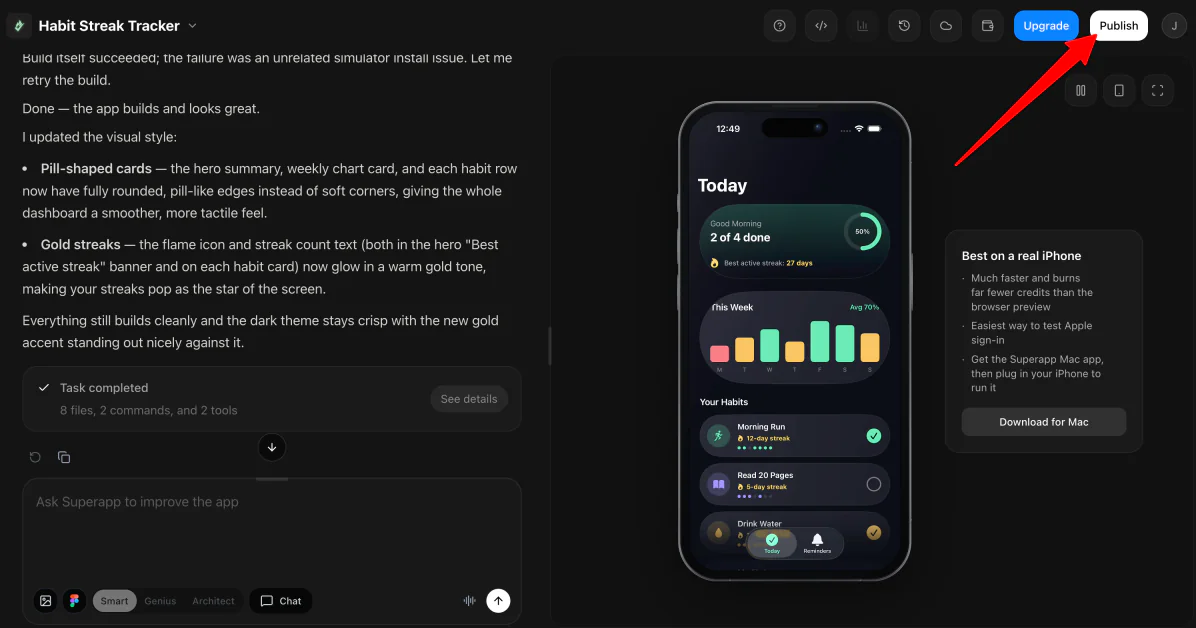
Once your prototype is polished, click Publish! You can submit directly to the App Store or TestFlight for beta testing.
Overall, Superapp simplified the app creation journey and quickly transformed a concept into a working iOS prototype. The AI-driven preview stayed true to my prompt, and the functionality for design interaction, edit requests, and direct App Store publishing makes it a formidable tool.
Explore Top Alternatives to Superapp
Here are three notable alternatives to Superapp that you might also want to consider:
Lovable
The first alternative I recommend is Lovable, a versatile AI app builder for both websites and applications. It enables you to transform ideas into working projects, making it easy for entrepreneurs and teams to validate concepts without traditional coding.
While both Lovable and Superapp harness AI to convert prompts into functional applications, Lovable caters to web apps, granting flexibility across platforms, whereas Superapp focuses on native Apple applications. If your aim is to create a web app, Lovable may be the better choice. However, for a native iOS app experience, Superapp is ideal.
Bolt.new
Another alternative is Bolt.new, also an AI application and website builder. Similar to Superapp, it leverages AI to facilitate app development based on user specifications.
However, Bolt.new extends its capabilities across various platforms, additionally offering hosting and backend features through Bolt Cloud. If you’re seeking cross-platform solutions, consider Bolt.new, while Superapp remains your go-to for dedicated native iOS development.
FlutterFlow
Finally, I recommend FlutterFlow, a visual app builder that allows for extensive customization across platforms. Combining design, logic, and database connections, FlutterFlow is more hands-on compared to Superapp’s AI-driven approach, allowing for in-depth control over the entire development process.
If your focus is on maximum customization and cross-platform development, FlutterFlow may be more suitable. If you prefer quickly creating native Apple apps with minimal setup, stick with Superapp.
Is Superapp the Right Tool for You?
After trying Superapp, I was thoroughly impressed by its ability to turn a simple idea into a functional iOS prototype in record time. Its strengths lie in the seamless transition from concept to a native SwiftUI project while adhering to Apple’s design principles.
The only drawback for me was the lack of manual editing, as changes can only be requested through AI. Therefore, while Superapp excels at validating ideas and building MVPs, developers craving complete control may opt for alternatives with greater customization options.
If you seek extensive control over your app’s details, you might prefer tools like:
- Lovable is ideal for quickly developing flexible web apps.
- Bolt.new excels in crafting full-stack apps with cross-platform capabilities.
- FlutterFlow is best for extensive control over app design and logic across various platforms.
Alternatively, Superapp stands out as an excellent resource for creators aiming to experiment with iOS app ideas without dedicating significant time to mastering Swift or Xcode.
Thank you for reading my Superapp review! I hope you found it informative. Try Superapp for free and see how it works for your ideas!
Sure! Here are five FAQs based on the concept of building an iOS app with a single prompt:
FAQ 1: What is Unite.AI?
Answer: Unite.AI is a platform designed to simplify the app development process, allowing users to create iOS applications using just one prompt. It utilizes AI technology to generate code and app features based on the user’s specifications, making app development accessible to everyone.
FAQ 2: How does the one-prompt feature work?
Answer: The one-prompt feature works by allowing users to input a single, concise command describing their desired app. Unite.AI’s AI interprets this prompt, generates the necessary code, and develops the app’s basic framework, significantly reducing the time and effort required for traditional app development.
FAQ 3: Do I need programming skills to use Unite.AI?
Answer: No, you do not need any programming skills to use Unite.AI. The platform is designed for users at all skill levels, from complete beginners to experienced developers. The intuitive interface guides users through the process of app creation using AI-generated code.
FAQ 4: Can I customize the app generated by Unite.AI?
Answer: Yes, apps created with Unite.AI can be customized further. Once the initial version is built using your prompt, you can modify features, design elements, and functionality to better suit your needs or preferences using the platform’s editing tools.
FAQ 5: Is my app published automatically after creation?
Answer: No, your app will not be published automatically. After creating your app with Unite.AI, you have the option to review and refine it before submitting it to the App Store. The platform provides guidance on the submission process to ensure your app meets all necessary requirements.